Mods for Melon Playground
Ilia Mazur IILibraries & Demo
2.5533.00 Reviews
- Version
- 2.4
- Installs
- 1.00M
- Age Rating
- Teen
Screenshots
Our Review of Mods for Melon Playground
 Analysis by Appyee
When a phone or tablet is shared at home, an add-on app can become part of the family routine almost by accident. One person finds a new mod, another wants to see it, and soon the device is being passed around with everyone asking what to try next. That is the kind of casual, creative use I can picture for Mods for Melon Playground: a browsing companion for people who already enjoy Melon Playground and want fresh things to explore together.
I would treat it as a source of ideas rather than a guaranteed shortcut to a perfect play session. A mod can sound appealing in a list and still be a poor fit for the person holding the device, so it helps to browse together, agree on what to try, and keep expectations modest. The strongest reason to use an app like this is the variety it can bring to a familiar game; the main trade-off is that adding more choices also means spending time deciding which ones are worth the effort.
One device, several tastes
In a household, people rarely want exactly the same thing from a sandbox game. One player may be curious about unusual characters, while someone else is more interested in weapons or in seeing how a new object behaves. A mod collection can make that difference useful: instead of asking everyone to play in one fixed way, you can take turns choosing what to explore and let each person have a say.
A practical routine is to browse first, pick one item that sounds interesting, and then try it before moving on to another. That keeps a shared session easier to follow than selecting several options at once. If something does not work as expected, you have a clearer idea of what changed, and the next person is not left guessing which addition caused the confusion. This is a small but valuable habit when the device and game are used by more than one person.
For a short after-school or weekend session, the app may suit a group that wants a quick prompt for play rather than a structured activity. I would not expect it to coordinate turns or manage separate household preferences; the useful part is that people can make those decisions themselves. If everyone wants a different setup, take turns choosing rather than treating the mod list as a contest to install the most items.
Keep setup decisions simple
Mod browsing is more enjoyable when the person who owns or manages the device stays involved in the setup. I would check what a chosen item is meant to add, then make one change at a time and open the game to see whether the result is worth keeping. This approach is not glamorous, but it avoids a common frustration: changing several things together and then having no clear way to work out which one made the experience less enjoyable.
That one-at-a-time method is also helpful when the app is being used by younger players. Let them choose between a couple of options, while an adult handles the decision about whether to install or keep a particular addition. It gives the child a real part in the activity without turning every tap into an unreviewed choice. I would also avoid assuming that everyone who uses the same device should share the same preferences; a mod that makes one person laugh may not be the one another person wants to revisit.
Because the app is free to download but includes in-app purchases, I would make the purchase boundary clear before handing over a shared device. Free access does not mean every possible item or option is necessarily free, and a child should know to ask before making a purchase. That conversation is more useful than relying on an assumption that the app itself will set household rules. The listed purchase range runs from $1.99 to $29.99 per item, so I would keep payment decisions with the adult responsible for the device.
Agree on what to try, and when
Coordination does not need a special feature to make a shared session work. Before opening the game, agree on who gets to choose the first mod, how long that person gets to explore, and whether the group wants to keep or switch the selection afterward. In my experience, a quick agreement like that can prevent the familiar “just one more” loop from taking over the whole session.
There is also a useful distinction between browsing for inspiration and expecting a particular mod to become a lasting favorite. A group can treat each choice as a trial: see what it changes, decide whether it adds something enjoyable, then move on if it does not. That makes the app more approachable for people who are new to mod collections, since they do not have to understand every option before they can join in.
Compared with searching for individual mod files or relying on scattered recommendations, a dedicated collection can make discovery feel more convenient because the choices are gathered in one place. The trade-off is that a broad catalog can still take time to sort through, and having many options does not tell you which one is best for your particular group. If your household prefers a small, predictable set of activities, sticking with the original game may be less distracting than opening another stream of possibilities.
Age, trust, and expectations
The app is rated Teen, which is worth taking seriously in a shared home. That rating is a useful signal for families deciding whether it suits a particular player, but it is not a substitute for an adult looking at the app and the kinds of additions a child wants to explore. I would make the first browsing session a shared one, especially if a younger player is unfamiliar with user-created content or with the way mods can change a game.
For older teens and adults who already enjoy experimenting in Melon Playground, the appeal is easier to understand: browse, choose something that fits the mood, and see whether it changes the next session in an interesting way. For someone who wants a carefully guided experience, minimal decisions, or a predictable game for a younger child, this is probably not the best starting point. The app is built around finding additions, so curiosity and a willingness to try things matter more than a desire for a fixed path.
Mods can also create different expectations between people sharing a device. One player may think an item is harmless fun while another finds it unpleasant or simply uninteresting. I would make it normal to say “not this one” without turning that into an argument; the point of browsing is to find something the group actually wants to play, not to justify every choice in the catalog.
Diving into the World of Mods
Right off the bat, Mods for Melon Playground greets you with an easy-to-navigate interface that makes finding and installing mods a breeze. You don't have to be a tech wizard to get started, which is a major plus in my book. The app organizes everything neatly, so you can dive straight into the fun without the hassle of complicated setups.
The Treasure Trove of Mods
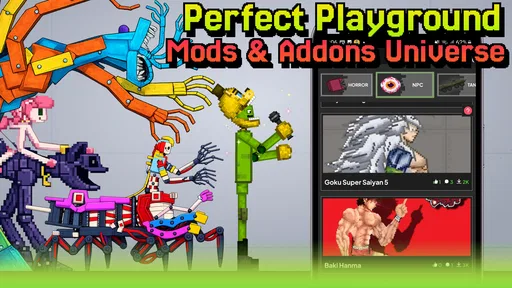
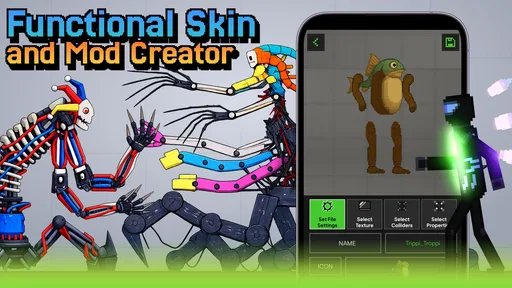
What caught my attention immediately was the sheer variety of mods available. Whether you’re looking to add some zany new weapons, quirky characters, or even enhance the physics engine, there’s something for everyone. The creativity of the modding community here is off the charts, and it’s always exciting to see what new content pops up.
I spent a good chunk of time just browsing through the endless list of options. And trust me, it's easy to lose track of time when you’re exploring such a diverse catalog. The mods range from the downright hilarious to the mind-bendingly complex, offering a little something for every type of player.
Installation and Usability – Smooth Sailing
Now, let’s talk about the installation process. I was pleasantly surprised at how user-friendly it was. With just a few taps, you can download and install your chosen mods directly into your game. It’s as simple as selecting what you want and letting the app do its magic.
One thing I appreciated was the app’s reliability. I’ve tried a few modding apps before where things would crash or not work as expected, but that wasn’t the case here. Everything ran smoothly and integrated seamlessly into Melon Playground.
Community and Updates
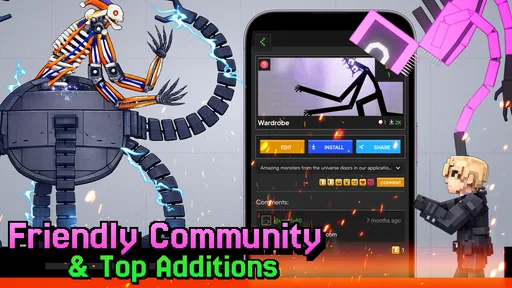
A standout feature of this app is its thriving community. You can really feel the passion and creativity of fellow players who contribute to the ever-growing selection of mods. Plus, the developers seem committed to keeping things fresh and exciting with regular updates. It’s always nice to see an app that stays current and continues to evolve.
The community aspect also means that if you ever run into issues or have questions, there are plenty of resources and fellow users ready to help out. It’s like having a whole network of friends who are just as into the game as you are.
For anyone checking whether the app is still a sensible choice, it is a free Libraries & Demo app from Ilia Mazur II, with more than a million installs and a 2.5 average from around 6,200 ratings. That mixed score is a reason to approach it with realistic expectations, not a reason to assume every user has the same experience. I would judge it by the specific mods I want to try and by how well the process fits my device and patience.
Its current version is 2.2, and it runs on Android 7.0 or later. Those details make it easier to decide whether it belongs on an older household device, but compatibility alone does not guarantee that every individual mod will behave the same way. If I were setting it up on a shared tablet, I would test the app and a single selection before planning a group session around it.
When this collection makes sense
I see the best fit for players who already know they enjoy Melon Playground and like changing the feel of a session through add-ons. It can also work for a curious newcomer if someone more experienced is nearby to help choose a first item and explain what to look for. The browsing itself can be part of the fun, particularly when a group treats the list as a menu of experiments rather than a promise that every selection will be a hit.
It is less suited to someone who wants a complete standalone game, a guided tutorial, or a tightly controlled experience with no extra decisions. It is a companion for finding mods, not a replacement for the original game or a guarantee that every player will enjoy every addition. If your main goal is simply to play without browsing, the original game is the more direct choice; if you want to discover possibilities, this app has a clearer purpose.
One useful way to avoid choice overload is to decide on a theme before browsing. For example, a group can look for something funny, something visually different, or something that changes how a familiar session feels. That gives the search a purpose and makes it easier to stop when you have found a suitable option. It also makes comparisons fairer: try one selection, then decide whether it was more enjoyable than playing without it.
Another trade-off is the difference between a lively collection and a curated shortlist. A large selection gives you more chances to find an unusual idea, but it can also turn a quick play session into a long browsing session. If time is limited, I would choose one item before everyone gathers around the device. If exploration is the activity, take turns browsing and keep the expectation that choosing is part of the evening, not a delay before the “real” game.
People often wonder whether they need technical knowledge, whether the app replaces Melon Playground, and whether it is suitable for a younger family member. My practical answer is that the interface is presented as approachable, but the app remains an add-on collection rather than the game itself; the base game is still central to the experience. For age suitability, I would use the Teen rating as a starting point and make the decision with the child’s maturity and the specific content in mind.
I would also plan for the possibility that a selected mod is not a keeper. Treating every install as a small trial makes the experience less frustrating, particularly on a device used by several people. If the group likes it, keep exploring; if not, return to a familiar way of playing rather than spending the whole session trying to force one choice to work.
Final Thoughts – A Must-Try for Fans
All in all, Mods for Melon Playground is a fantastic companion for anyone who loves the original game. It opens up a world of endless possibilities and fun, making it a must-try for any fan. Whether you’re looking to add a little spice to your gameplay or completely transform your gaming experience, this app has got you covered.
If you haven’t checked it out yet, do yourself a favor and dive into this modding paradise. It’s creative, entertaining, and simply put, a whole lot of fun. You won’t regret it!
My household verdict is more measured: I would try it with Melon Playground fans who enjoy browsing and experimenting, especially when the device is shared and everyone can take a turn choosing. I would skip it for a player who wants a fixed, distraction-free game or for a family that is not ready to supervise add-on choices and purchases. Used with a clear boundary around selection and spending, it can give a familiar game a fresh direction; used without that agreement, the catalog may create more debate than play.
Verdict
Strengths of Mods for Melon Playground
- Wide variety of mods available.
- User-friendly interface for easy navigation.
- Regular updates with new content.
- Compatible with most devices.
- Enhances gameplay with creative options.
Limitations of Mods for Melon Playground
- Some mods may crash the game.
- Limited support for older devices.
- Occasional ads can be intrusive.
- Requires internet for downloading mods.
- Not all mods are high quality.
Similar Picks in This Category
View All
PGT: GFX, Launcher & Optimizer
Trilokia Inc.4.5

AusweisApp Bund
Governikus Service GmbH3.7

Cardboard
Google LLC3.2

Gamers GLTool with Game Tuner
Trilokia Inc.4.5

Multi Web Chat - Read Secretly
World Scan & Cleaner3.8

App Cloner Premium & Add-ons
App Listo1.9
Frequently Asked Questions
What is Mods for Melon Playground?
Mods for Melon Playground is an application that allows players to customize and enhance their gameplay experience in the Melon Playground game. It offers a variety of modifications, including new characters, skins, and unique tools to enrich the game and provide a fresh, engaging experience.
How do I install mods using this app?
To install mods, first download and open the Mods for Melon Playground app. Browse through the available mods and select the ones you wish to install. Follow the on-screen instructions to download and apply the mods to your game. Ensure your game is closed during installation for the changes to take effect.
Is Mods for Melon Playground safe to use?
Yes, Mods for Melon Playground is designed to be safe. The app provides verified mods to ensure they do not harm your device or game. However, it's always best to download the app from a trusted source and keep your device's security software up to date for added protection.
Are there any costs associated with using Mods for Melon Playground?
The Mods for Melon Playground app itself is usually free to download and use. However, some premium mods may require in-app purchases. Check the app store description for any potential costs and ensure you understand any charges before proceeding to purchase premium content.
Does Mods for Melon Playground affect game performance?
While the app is designed to enhance gameplay, some mods may require additional resources from your device. This could potentially affect game performance, especially on older devices. If you experience issues, try reducing the number of active mods or upgrading your device to meet the app's requirements.
